Built for Multi-Client CRM Operations
Run leads, campaigns, conversations, and follow-ups from one CRM.
Convert ad leads faster
Automated follow-ups help your team respond before competitors.
Convert ad leads faster
Automated follow-ups help your team respond before competitors.
Track every message
Queue, delivery, open, click and failure tracking in one place.
Track every message
Queue, delivery, open, click and failure tracking in one place.
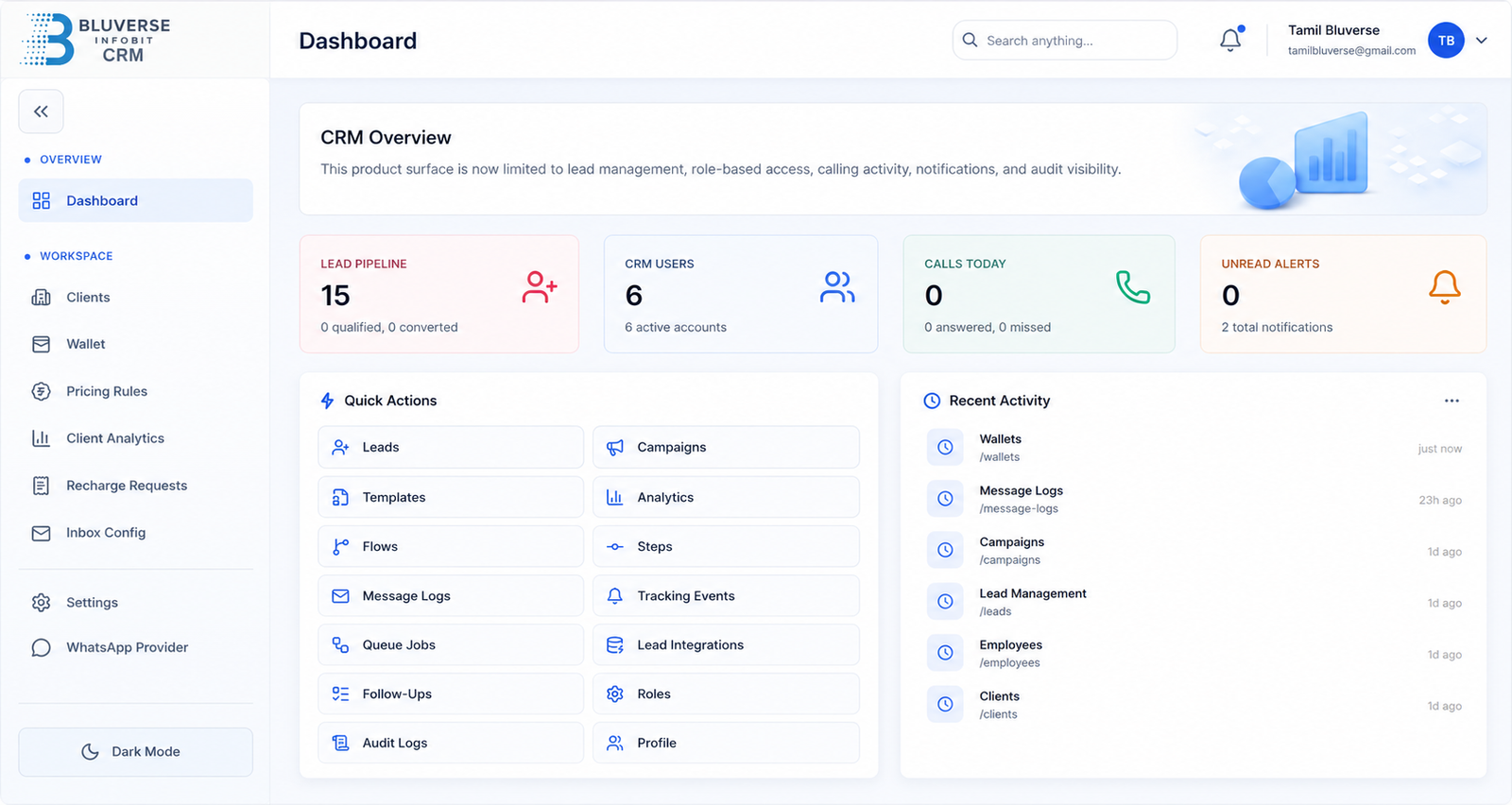
Live CRM Dashboard
Lead counts, campaign metrics, conversations, team activity and follow-up reminders in one dashboard.
Capture leads from ads, forms, Apollo, WhatsApp, and email.
Meta Ads Leads
Capture campaign leads directly into CRM.
Web Forms
Send website enquiries to the sales pipeline.
Apollo Import
Bring prospecting data into your lead workspace.
WhatsApp + Email
Unify incoming customer messages in one inbox.
Unified CRM Inbox
All leads in one place with source, status, owner and follow-up action.
Campaign Builder & Message Tracking
Create templates, personalize messages, schedule campaigns and track delivery, open, click and failure metrics.
Send WhatsApp and email campaigns with templates and tracking.
Reusable Templates
Save campaign messages and follow-up templates.
Smart Scheduling
Send campaigns at the right time.
Delivery Insights
Full queue, sent, delivered, open and click tracking.
Assign leads, conversations, and follow-ups to your team.
Team Assignment
Route leads to the right employee or department.
Kanban Pipeline
View lead status from new enquiry to closed deal.
Follow-up Reminders
Never miss pending calls, chats or email replies.
Sales Pipeline Board
New lead, contacted, qualified, follow-up due and closed won pipelines with task ownership.
Automation Builder
Trigger, condition and action workflows for instant responses, team assignment and status updates.
Automate lead responses, follow-ups, assignments, and status updates.
Auto Responses
Instant replies when new leads arrive.
Round-Robin Assignment
Share leads fairly across your team.
Status Updates
Move leads automatically based on activity.
Manage resumes and candidate emails from a client-specific inbox.
Resume Inbox
Collect candidate emails and attachments.
Hiring Stages
Applied, screening, interview, offer and hired stages.
Client Isolation
Keep client-specific recruitment data separated.
Candidate Inbox
Candidate list, resume preview, contact details, applied role, source and hiring stage timeline.
Wallet Billing & Razorpay Recharge
Wallet balance, usage chart, recharge button, auto deduction and transparent transaction ledger.
Wallet-based communication credits with Razorpay recharge.
Razorpay Recharge
Secure online recharge for communication credits.
Usage Ledger
See every debit, credit and approval clearly.
Client-wise Credits
Maintain credits by client or campaign.
Role-based access, client isolation, audit logs, and permission controls.
Role Permissions
Admin, manager, agent and viewer access levels.
Audit Logs
Track important activity across the CRM.
Data Security
Secure structure for multi-client operations.
Security & Permissions
Permission matrix, client isolation, audit activity and secure user controls.
Why Bluverse CRM works well for Meta ad campaigns
Yes. The landing page positions Bluverse CRM as a lead capture and follow-up system for ad leads, forms, Apollo, WhatsApp and email.
Yes. The layout includes team assignment, pipeline, reminders and activity tracking sections.
Yes. This template uses Elementor widgets like Heading, Icon Box, Image Box, Counter, Button, Accordion and Form.
Yes. The Elementor Form widget is a Pro widget. Replace the recipient email in the form settings after import.
Ready to simplify your CRM operations and scale faster?
Bluverse CRM
One CRM for leads, campaigns, conversations and growing teams.
Product
Pricing
What’s New
Solutions
For Recruiters
For Sales Teams
Resources
Help Center
API Documentation
Contact
+91 90923 17999
Chennai, India